Backup Your Secrets
Back Up Your Recovery Phrase (or private key) Immediately
After creating a new wallet, back it up right away:
- If it's your first time opening the wallet, just click on the "Back up now" button of the banner
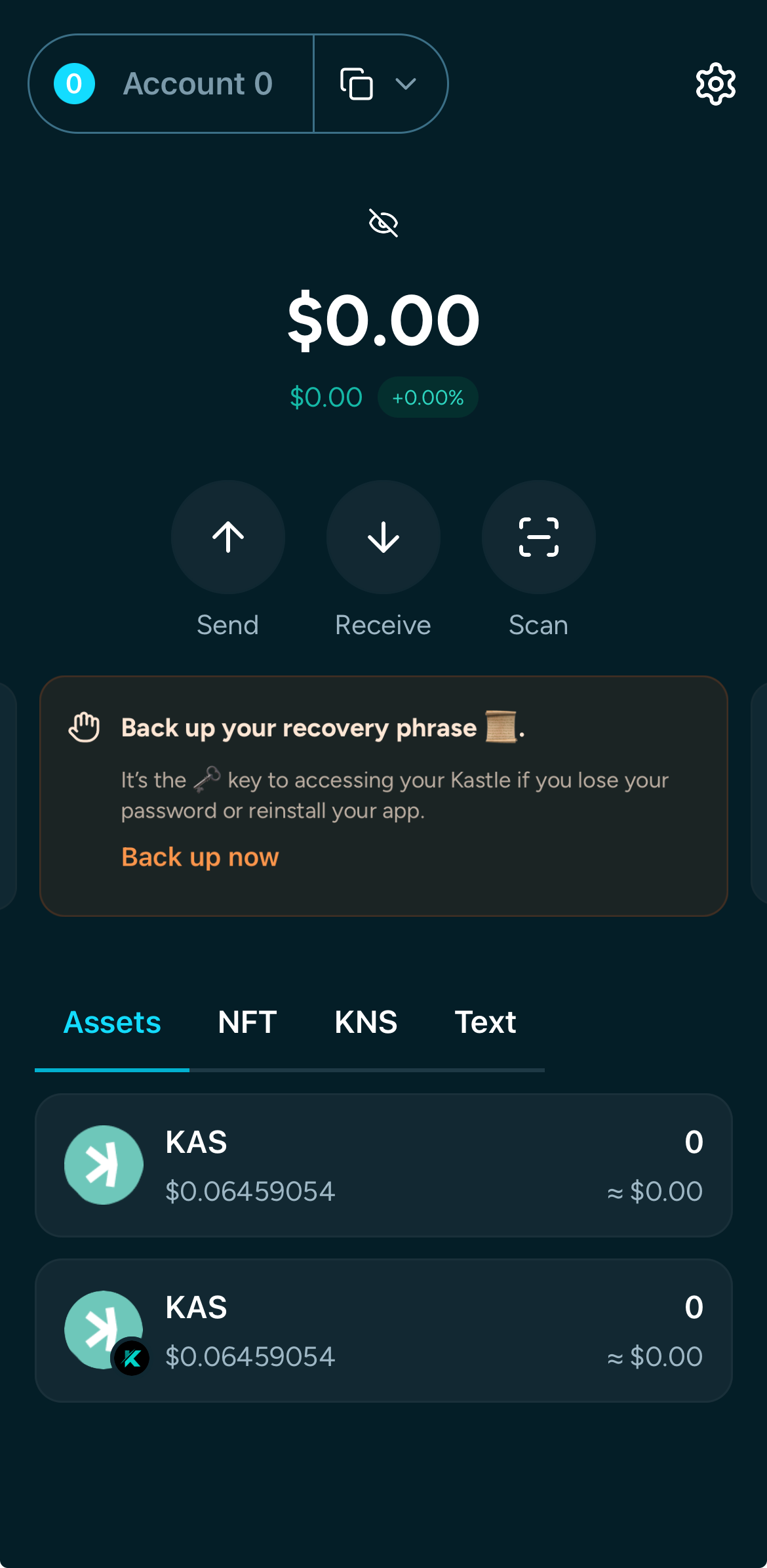
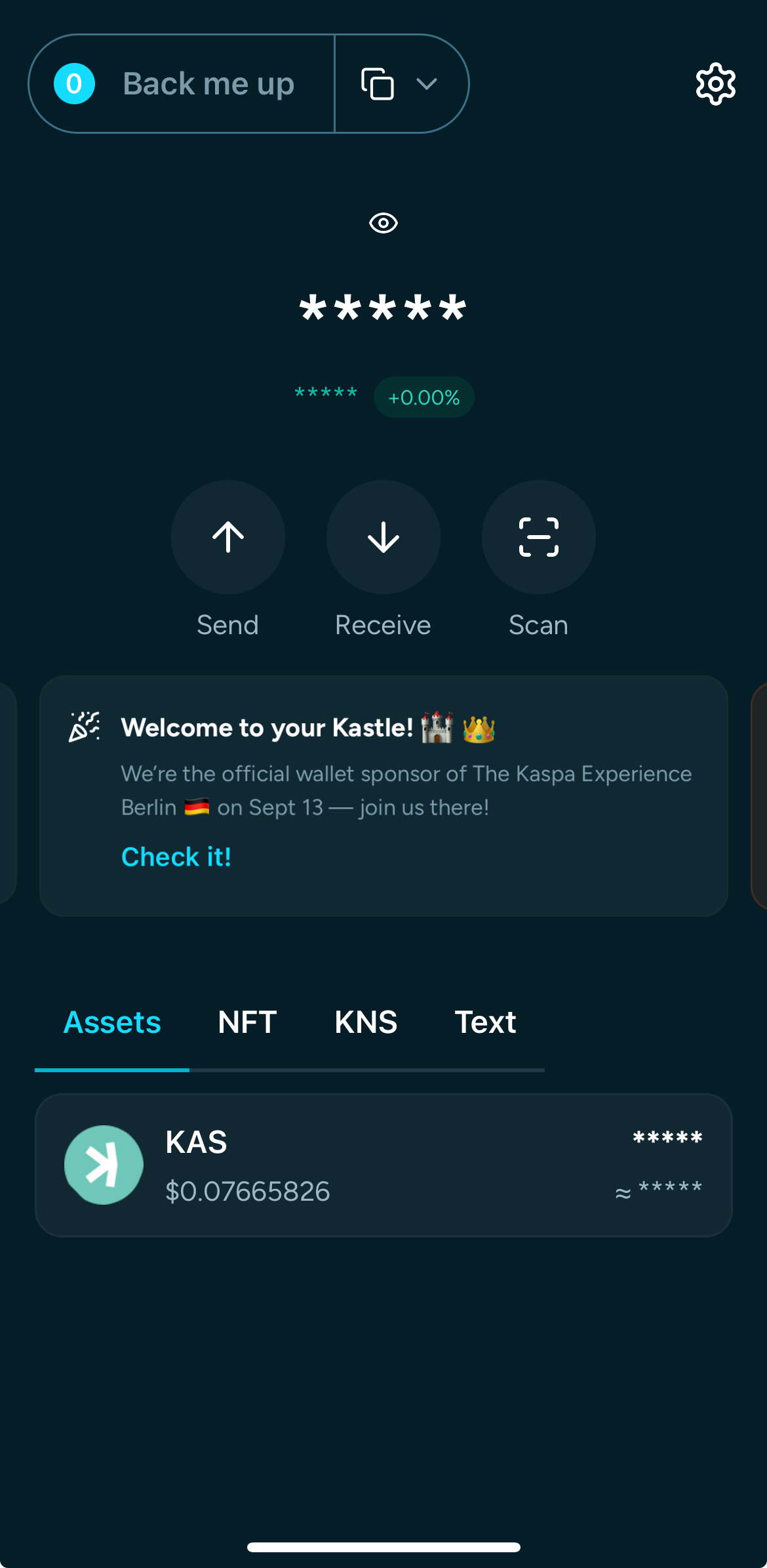
- Open Account Management from the top left of the dashboard.
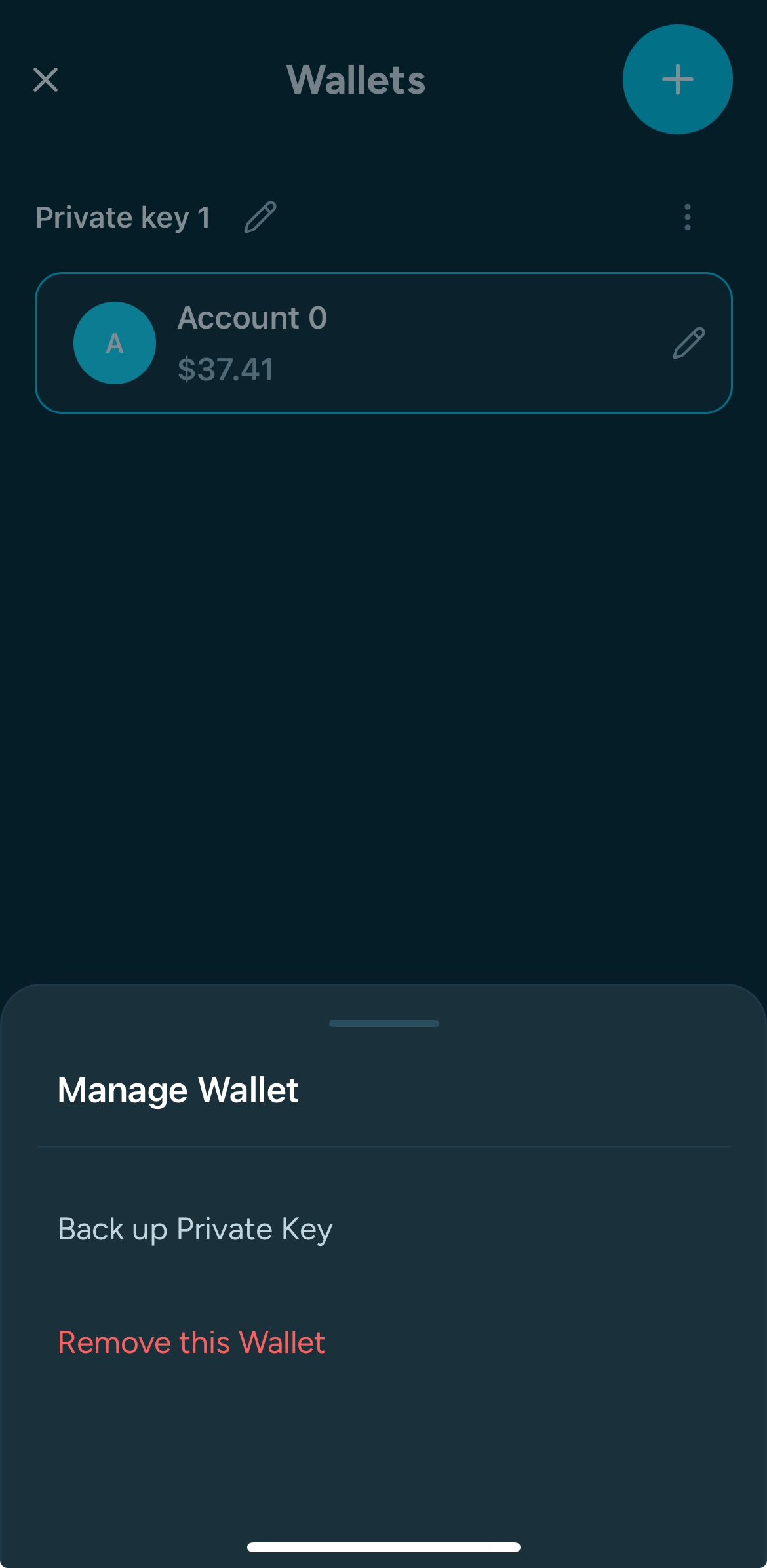
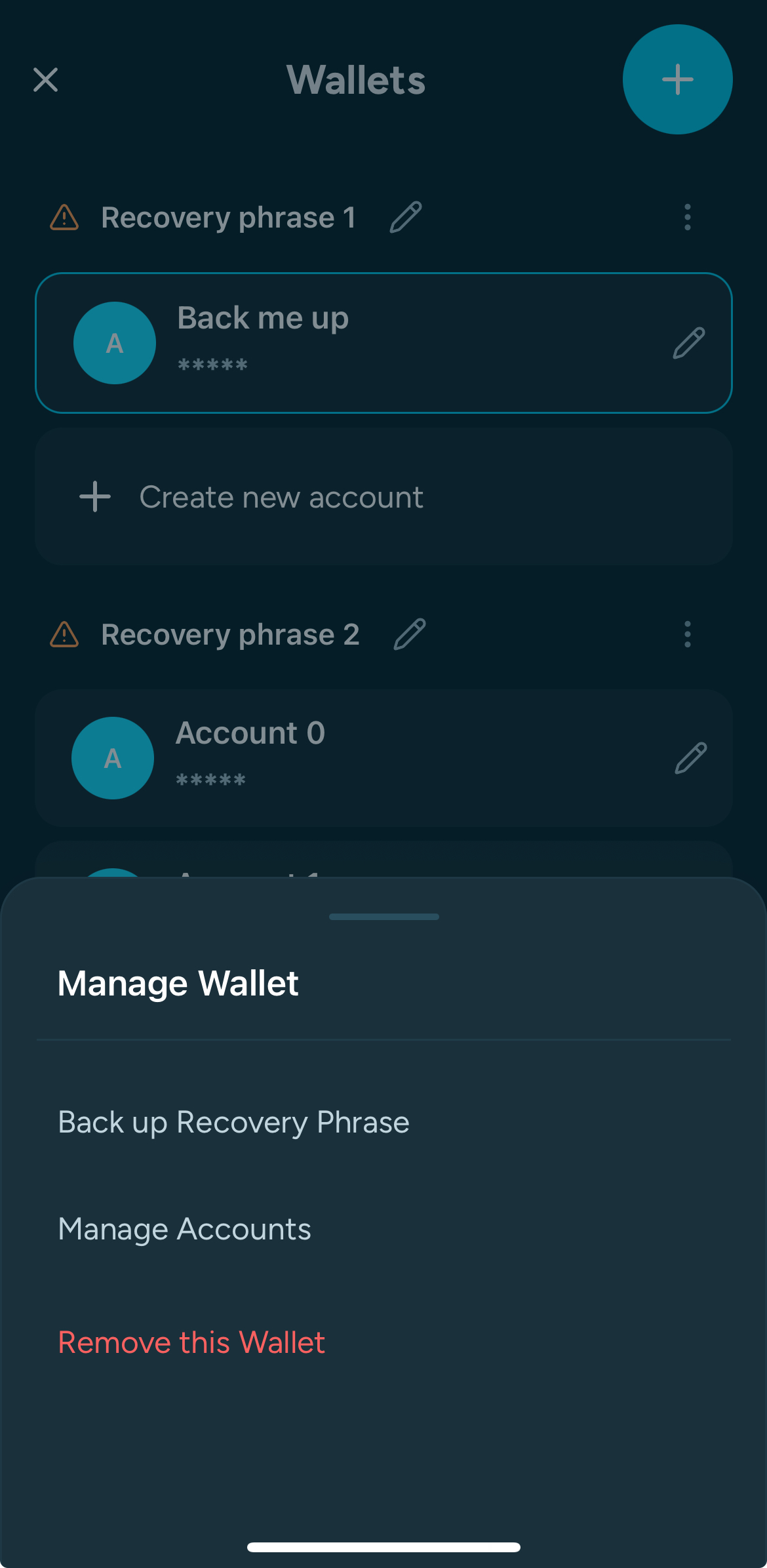
- Tap the three dots button on the right.
- Select “Backup recovery phrase.”/"Backup Private Key"
- Copy or write down your recovery phrase.
- ⚠️ For your security:
- The phrase will only stay in your clipboard for 60 seconds.
- You won't be able to screenshot the recovery phrase.
- The recovery phrase display window is hidden by default — you’ll need to tap to reveal it.
👉 Store the phrase offline on paper or metal, never online.
Backup Your Secrets
Back Up Your Recovery Phrase (or private key) Immediately
After creating a new wallet, back it up right away:
- If it's your first time opening the wallet, just click on the "Back up now" button of the banner
- Open Account Management from the top left of the dashboard.
- Tap the three dots button on the right.
- Select “Backup recovery phrase.”/"Backup Private Key"
- Copy or write down your recovery phrase.
- ⚠️ For your security:
- The phrase will only stay in your clipboard for 60 seconds.
- You won't be able to screenshot the recovery phrase.
- The recovery phrase display window is hidden by default — you’ll need to tap to reveal it.
👉 Store the phrase offline on paper or metal, never online.
Backup Your Secrets
Back Up Your Recovery Phrase (or private key) Immediately
After creating a new wallet, back it up right away:
- If it's your first time opening the wallet, just click on the "Back up now" button of the banner
- Open Account Management from the top left of the dashboard.
- Tap the three dots button on the right.
- Select “Backup recovery phrase.”/"Backup Private Key"
- Copy or write down your recovery phrase.
- ⚠️ For your security:
- The phrase will only stay in your clipboard for 60 seconds.
- You won't be able to screenshot the recovery phrase.
- The recovery phrase display window is hidden by default — you’ll need to tap to reveal it.
👉 Store the phrase offline on paper or metal, never online.