Create a New Wallet

To create a new wallet, simply follow these steps:

  1. Accept the Terms of Service and Privacy Policy
  2. Tap “Create a new wallet”
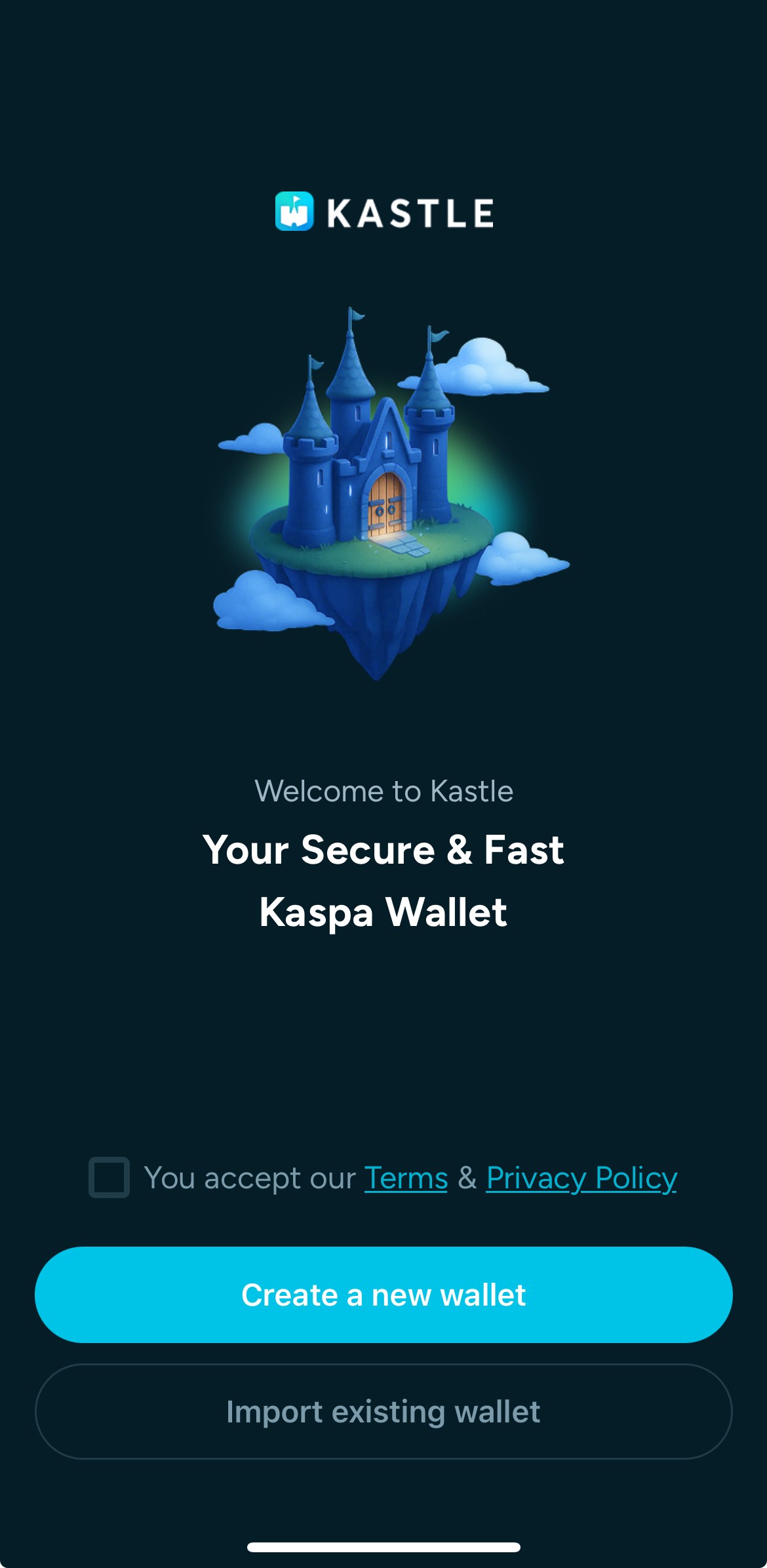
The wallet setup screen shows an Accept Terms checkbox and the Create a new wallet button. The user checks the box and starts a new wallet.
  1. Set up your PIN code for security
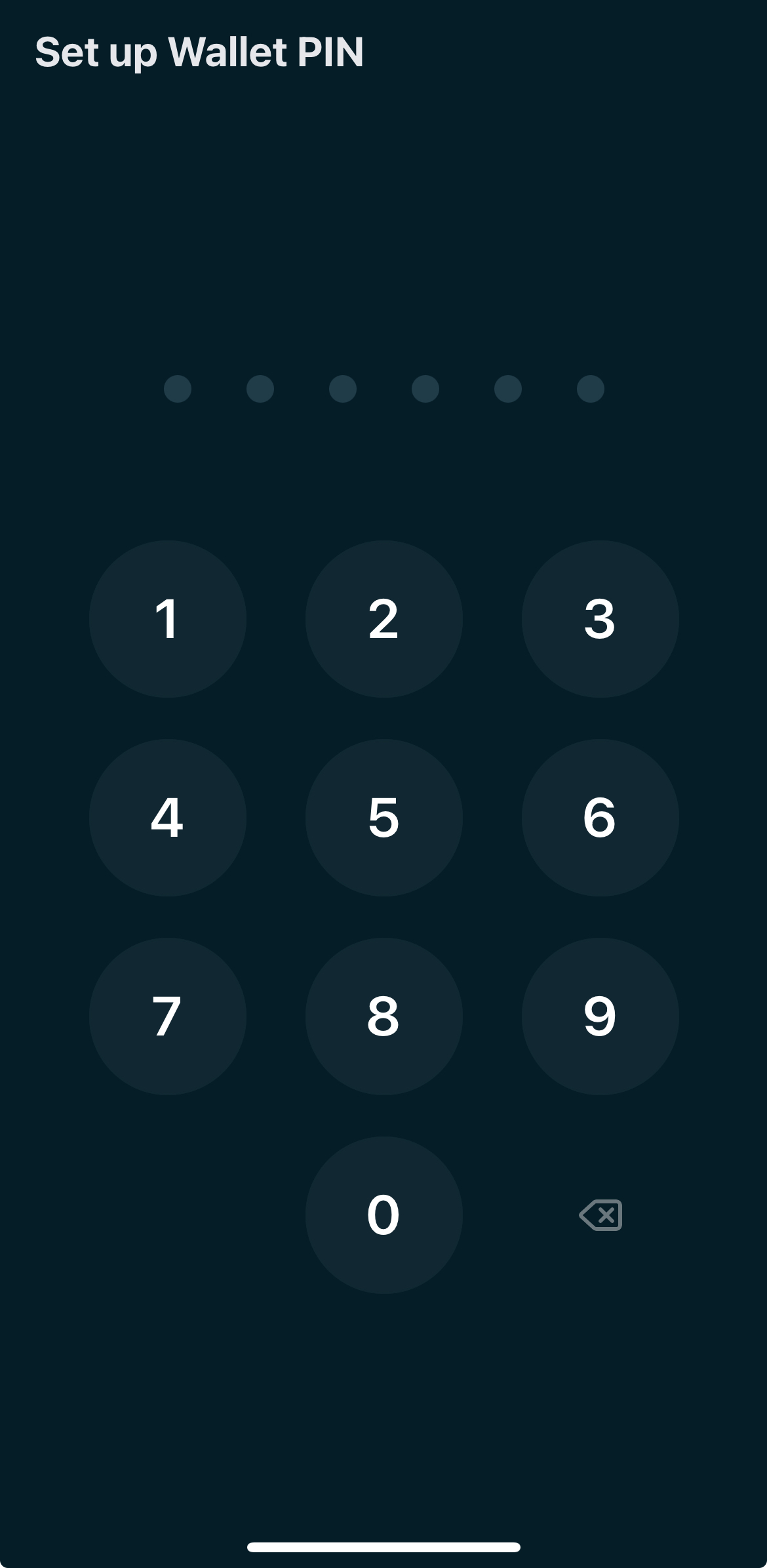
The PIN setup screen shows a numeric keypad with the Confirm PIN field focused. The user sets an unlock PIN to continue.
  1. Choose whether to enable biometric authentication or not
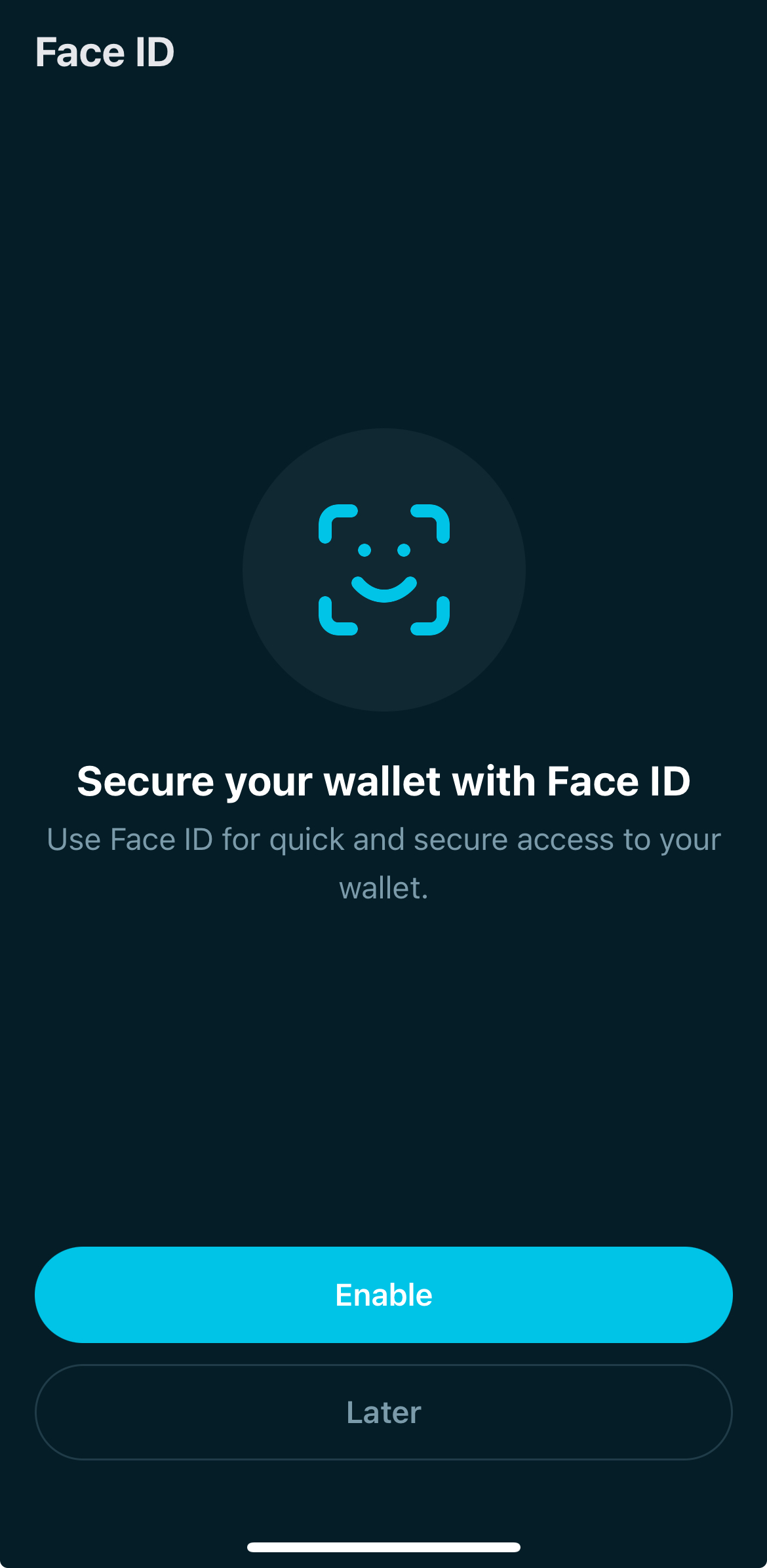
The biometric setup screen shows options to enable or skip biometric authentication. The user can turn biometrics on.
  1. And that’s it — your wallet is ready to use!
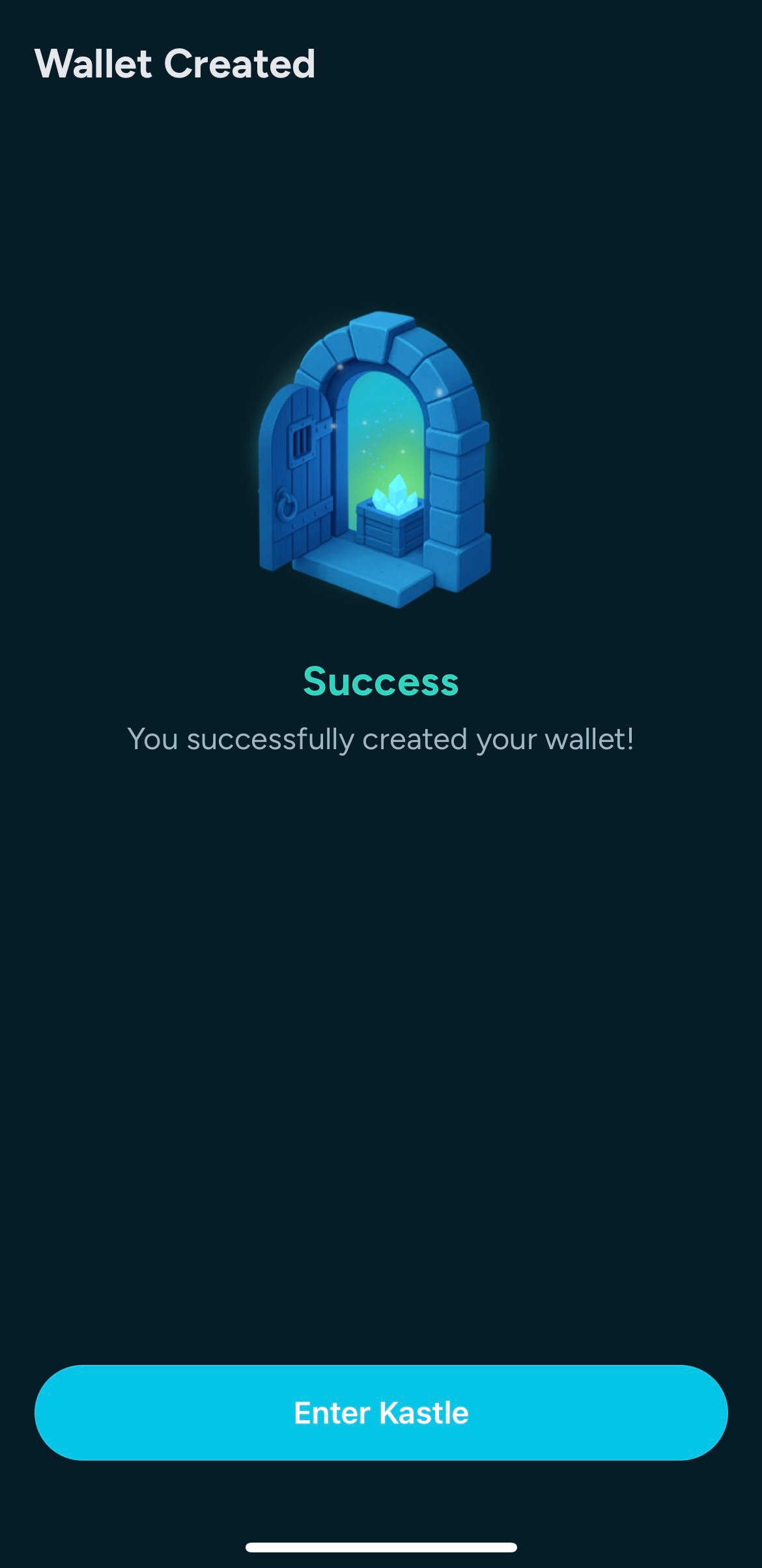
 

The wallet creation success screen confirms setup is complete. The user can continue to the dashboard.
Kastle Telegram support button – opens @kastlewallet chat
Kastle official X (Twitter) account – opens @kastlewallet
Kastle GitHub repository
Kastle Medium publication – read latest updates

Create a New Wallet

To create a new wallet, simply follow these steps:

  1. Accept the Terms of Service and Privacy Policy
  2. Tap “Create a new wallet”
The wallet setup screen shows an Accept Terms checkbox and the Create a new wallet button. The user checks the box and starts a new wallet.
  1. Set up your PIN code for security
The PIN setup screen shows a numeric keypad with the Confirm PIN field focused. The user sets an unlock PIN to continue.
  1. Choose whether to enable biometric authentication or not
The biometric setup screen shows options to enable or skip biometric authentication. The user can turn biometrics on.
  1. And that’s it — your wallet is ready to use!


The wallet creation success screen confirms setup is complete. The user can continue to the dashboard.
Kastle Telegram support button – opens @kastlewallet chat
Kastle official X (Twitter) account – opens @kastlewallet
Kastle GitHub repository
Kastle Medium publication – read latest updates

Create a New Wallet

To create a new wallet, simply follow these steps:

  1. Accept the Terms of Service and Privacy Policy
  2. Tap “Create a new wallet”
The wallet setup screen shows an Accept Terms checkbox and the Create a new wallet button. The user checks the box and starts a new wallet.
  1. Set up your PIN code for security
The PIN setup screen shows a numeric keypad with the Confirm PIN field focused. The user sets an unlock PIN to continue.
  1. Choose whether to enable biometric authentication or not
The biometric setup screen shows options to enable or skip biometric authentication. The user can turn biometrics on.
  1. And that’s it — your wallet is ready to use!


The wallet creation success screen confirms setup is complete. The user can continue to the dashboard.